Sticky Knob Fix
Korg Minilogue / Minilogue XD

Clean fix for sticky knobs.

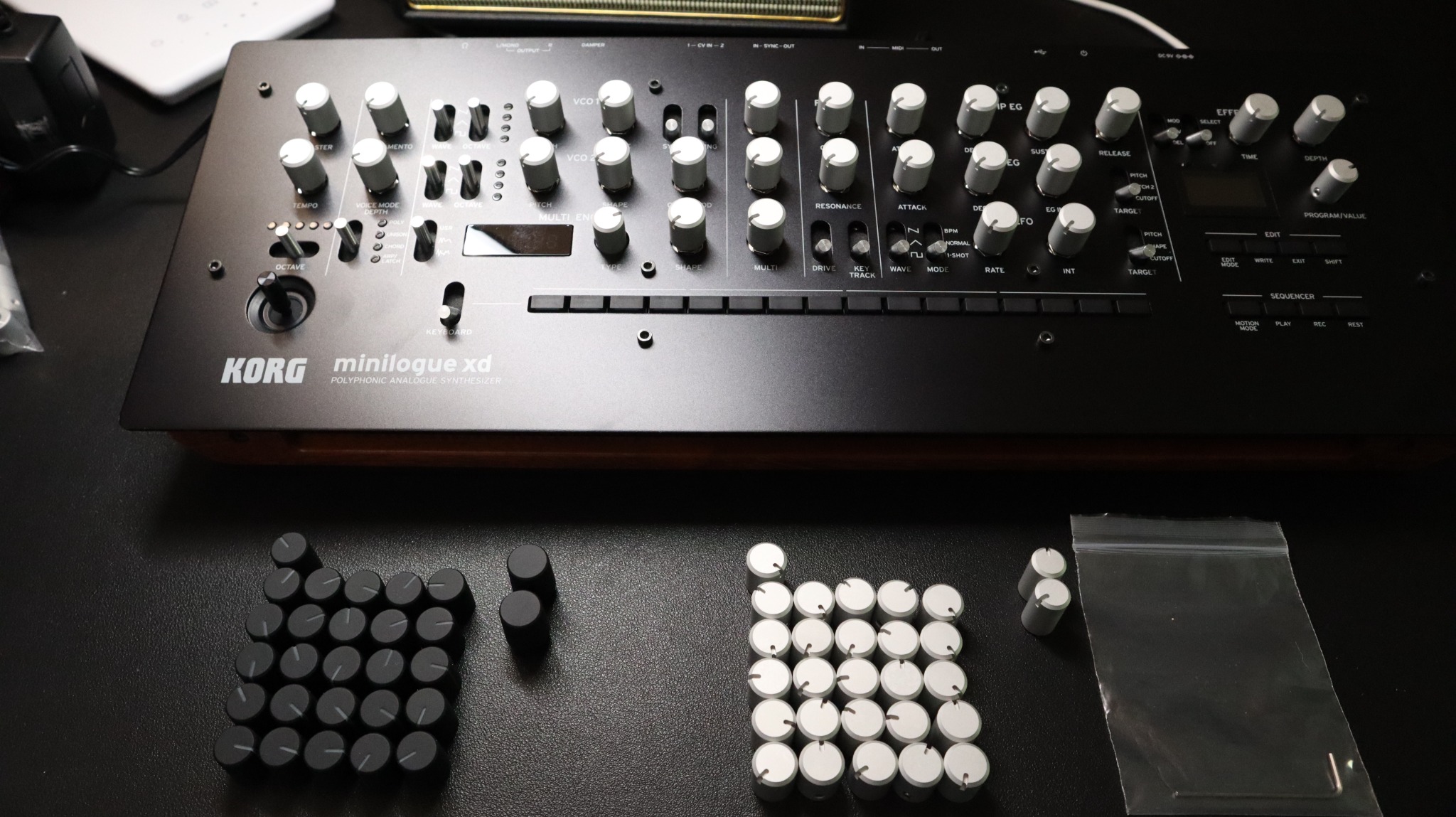
Replacement aluminum knob sets for Minilogue owners who want the synth to feel clean again without changing its character.

Close-up of replacement knobs installed on a Korg Minilogue panel.
For the sticky knob problemMade as a clean replacement for original knobs that became tacky with age.
Minilogue and XDInstalled views are shown on both Korg Minilogue and Minilogue XD panels.
Simple installIncludes the knob set and hex key for a straightforward swap.

Installed photos

Close-up of a black Korg Minilogue XD with silver replacement knobs installed.
Minilogue XD / black panel
Top view of a silver Korg Minilogue with replacement knobs installed.
Minilogue / silver panel

Three-step swap.

No complicated restoration work. Remove, align, tighten.

01

Remove the old knobs

Clean the control shafts before installing the new set.

02

Place and align

Set each indicator line so the panel reads consistently.

03

Tighten with the hex key

Secure the knobs and finish the swap.

Replacement knobs installed on a Korg Minilogue with the included hex key resting across the panel.
Installed detail with the included hex key.

Purchase links

Choose the store that works best for your location. eBay for international orders, Smart Store for Korea, and Reverb for related gear listings.